Pilot, connect, launch, operate, and promote define the operator journey end to end.
AI-DevOps Nexus
Pilot, connect, launch, operate, and promote without improvising the workflow.
This site teaches the five-step Nexus story so a new operator can move from first setup to promotion-ready work without learning the product as a loose collection of routes.
What operators should learn first
- Pilot the initial workspace and project scope
- Connect GitHub and repository bindings cleanly
- Launch the widget, dashboard, and portal with readiness checks
- Operate the queue and only promote reviewed work
Onboarding, review queue, and support ops carry most of the live operator workflow.
No issue creation or PR promotion should happen before review and validation gates are clear.
Journey
The five-step operator story
Nexus is a control plane for operational signal, but the operator experience only becomes clear when it is framed as a sequence: pilot the project, connect GitHub, launch intake, operate the queue, and promote only what has been reviewed and validated.
That framing matters because Nexus is not just intake and not just an agent runtime. It is the workflow between customer signal, operator judgment, and controlled code promotion.
Operator mental model
- Pilot the workspace and project with a stable rollout boundary.
- Connect GitHub auth, installations, and repository bindings.
- Launch the widget, dashboard, and support handoff links.
- Operate the review queue and support surfaces as the daily control plane.
- Promote only after review, validation, and merge readiness are visible.
Steps
Walk the five steps in order
Pilot
Create the workspace, define the project, and choose a narrow first rollout boundary with a stable project key.
Connect
Attach GitHub access and repository scope. Start with PAT mode for speed, then move to GitHub App mode when scoping and auditability matter.
Launch
Mint widget sessions, validate hosted feedback, and confirm the dashboard, portal, and support links work end to end.
Operate
Set triage policy, review ownership, and queue expectations so the support and review surfaces reflect the same decision model.
Promote
Move only reviewed, validation-safe work into GitHub and extend customer access only when durable portal visibility is appropriate.
Baseline environment
APP_BASE_URL=https://your-nexus-host
GITHUB_AUTH_MODE=pat
GITHUB_TOKEN=github_pat_or_service_account_token
WEBHOOK_SHARED_SECRET=replace-me
PUBLIC_WIDGET_SIGNING_SECRET=replace-me
GITHUB_APP_STATE_SECRET=replace-me
Routes operators should know
/learn/onboarding
/learn/review-queue
/learn/support-ops
/public/projects/:projectKey/widget
/public/projects/:projectKey/dashboard
/public/projects/:projectKey/customer-portal
Operations
What each step means in the live product
1. Pilot
The onboarding console defines the workspace, project, policy defaults, and the initial operational boundary.
2. Connect
GitHub installations, repository bindings, and service identities tie the project to the systems Nexus will touch.
3. Launch
Hosted widget, dashboard, and portal routes become the customer-facing intake path once readiness checks are clear.
4. Operate
The review queue and support ops surfaces become the daily control plane for assignment, triage, and follow-up.
5. Promote
Only approved, validation-safe executions and scoped customer access changes should move forward into GitHub or durable access.
Pilot project boundary
Connect GitHub + repos
Launch intake surfaces
Operate queue
Promote approved work
Screens
The operator screens behind the five steps
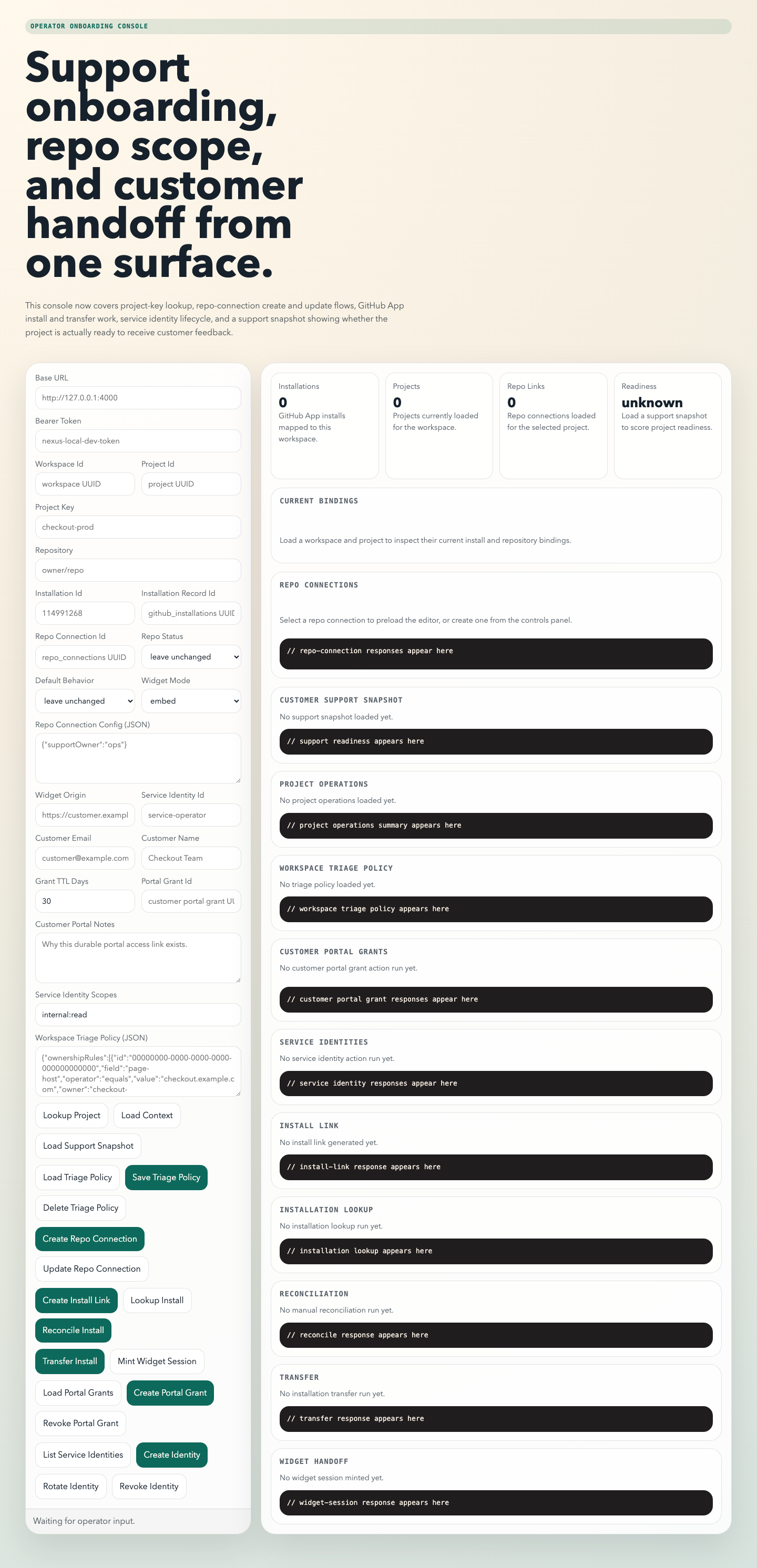
Onboarding Console
Used for Pilot, Connect, and Launch: project lookup, repo connection management, widget handoff, GitHub installation work, and service identity lifecycle.
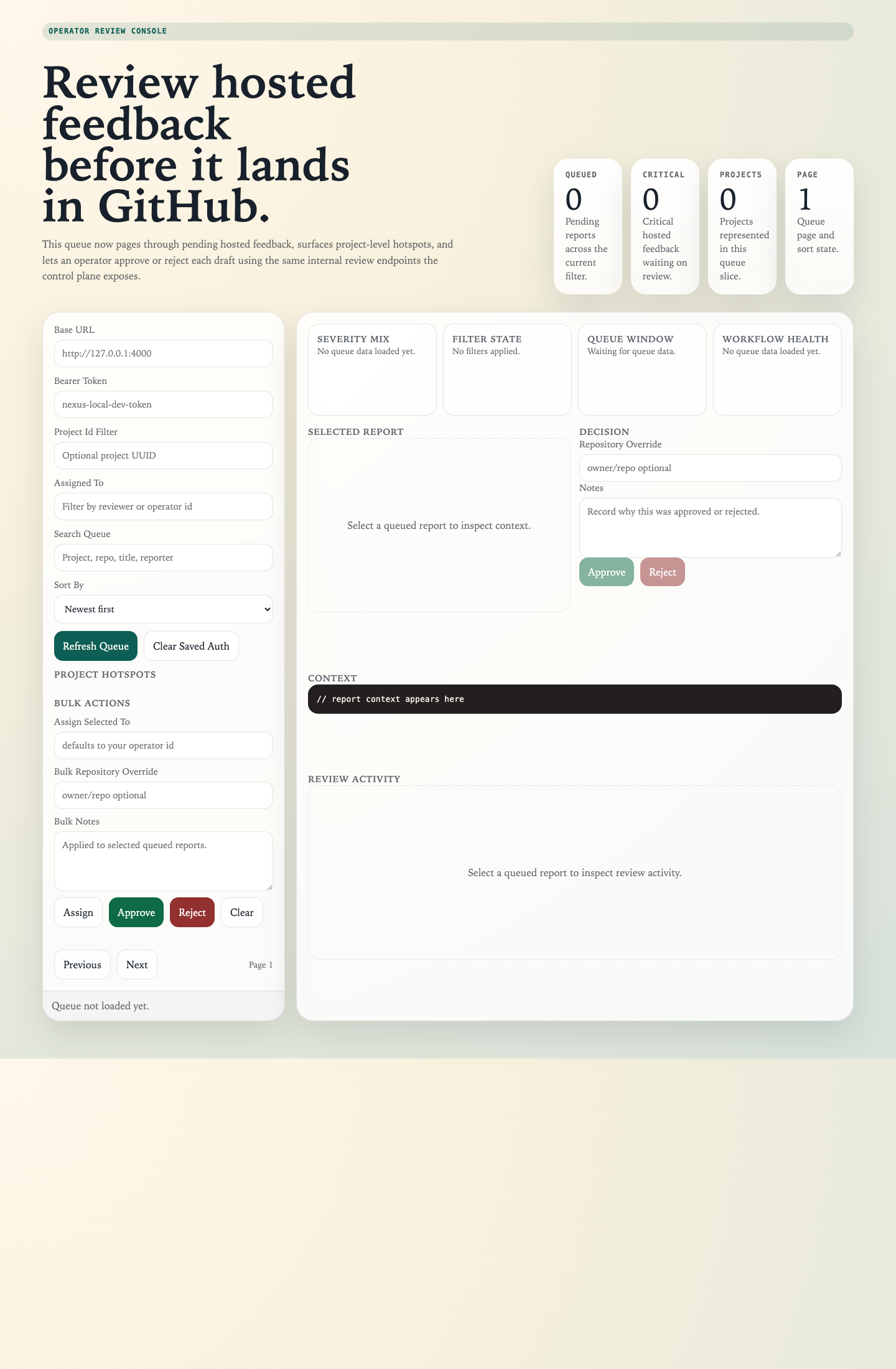
Review Queue
Used for Operate and Promote: the approval gate for hosted feedback, with queue search, assignment, paging, and downstream GitHub controls.
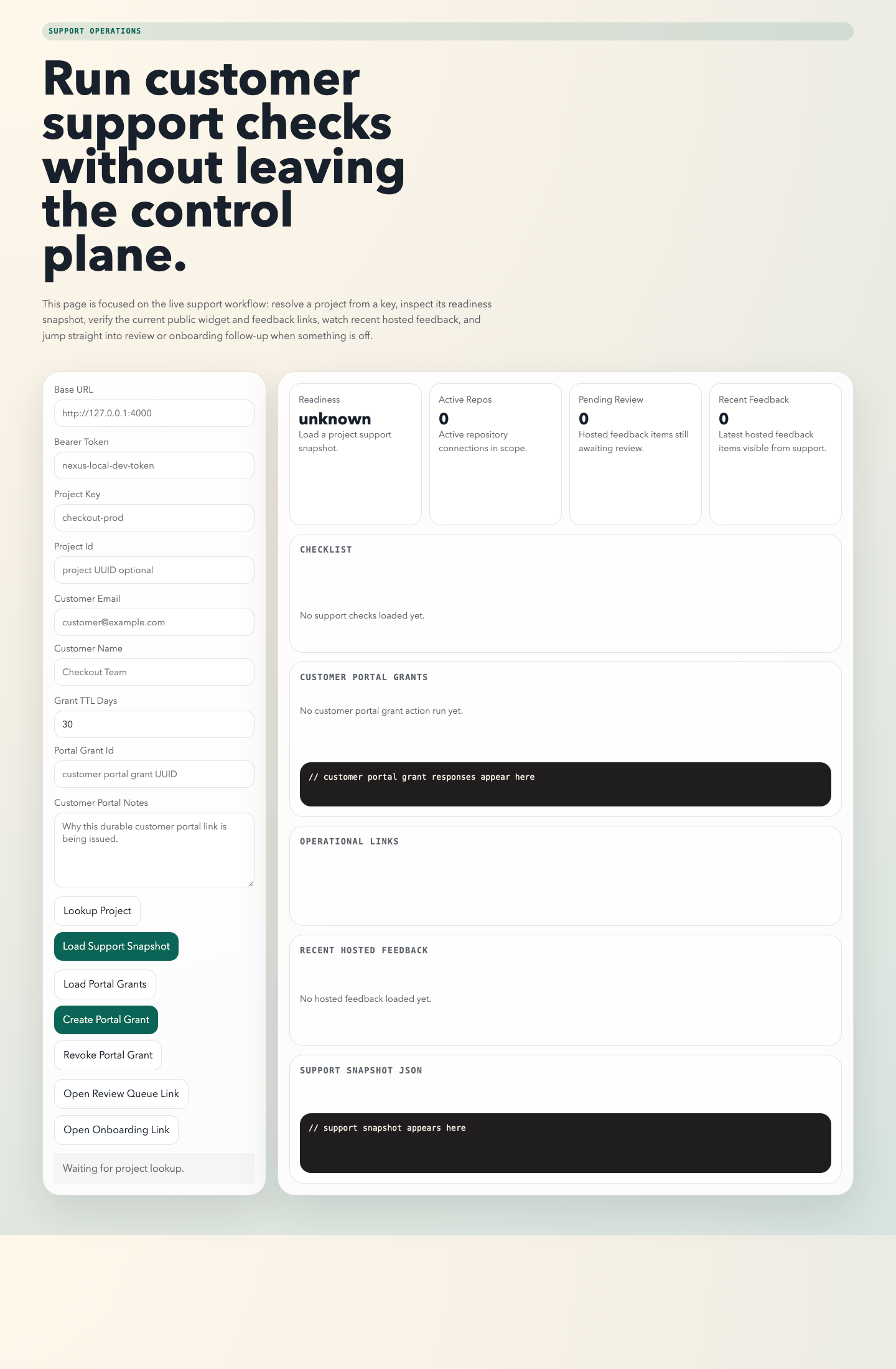
Support Ops
Used to keep Launch, Operate, and Promote aligned: readiness checks, hosted feedback visibility, public-route verification, and fast follow-up links.
Playbooks
Stage-specific rollout playbooks
Pilot cleanly
Use one workspace, one project, and a narrow first customer flow so the team can learn the system without policy drift.
Connect deliberately
Use PAT mode for speed, but move to GitHub App installs once repo scoping and shared operations become part of the rollout.
Launch with evidence
Create widget sessions, validate portal grants, and prove the dashboard only shows project-scoped, session-safe data before broadening access.
Operate from the queue
Train operators that issue creation and PR promotion are not defaults. The review queue is the daily gate for all downstream action.
Promote with discipline
Before promotion, confirm the execution has changes, review approval, non-failed validation, a resolvable target repository, and customer access that still matches scope.
FAQ
Answers new teams usually need
Should we start with PAT mode or GitHub App mode?
Start with PAT mode for speed. Use GitHub App mode once you need cleaner repository scoping, installation lifecycle control, and stronger auditability.
Do we need Vercel to test GitHub App onboarding locally?
No. For local validation, a tunnel to the running Nexus gateway is lower friction. Vercel is useful when you want a persistent public host for this documentation site or for a separately deployed environment.
What is the first page an operator should learn?
Start with the onboarding console for Pilot, Connect, and Launch. Then move to the review queue and support ops pages for Operate and Promote.
When should an operator promote an execution into a PR?
Only after the execution has changes, review approval, acceptable validation, and a healthy closeout state. The review queue and closeout surfaces exist to prevent premature promotion.